Private cloud refers to on-premises storage solutions that emulate capabilities of public cloud services while keeping your data fully under your control. Private cloud consists of dedicated storage hardware and software hosted in your own home or office, rather than relying on a third-party service provider.
Private cloud solutions offer the flexibility to store, backup, share, and access your files from anywhere, with the security, privacy and governance of keeping everything within your own infrastructure. Compared to public cloud services, private cloud ensures enhanced security, performance, control and customization for personal and small business use cases.
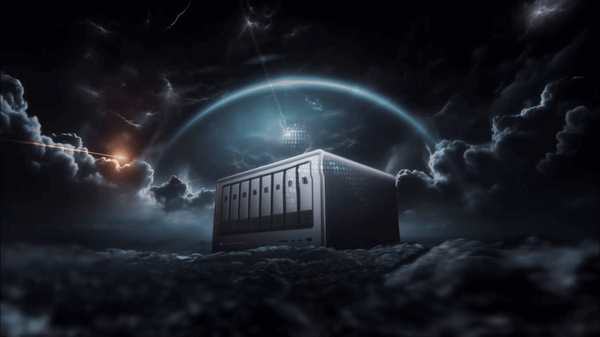
In a personal context, private cloud refers to specialized on-premises network-attached storage (NAS) devices and software that provide the flexibility and self-service capabilities of public cloud services, but with the benefits of being entirely hosted on-site.
Personal private cloud appliances offer robust capacity for media storage, automated multi-destination backups, remote file access, centralized file sharing and synchronization, self-service management, and abundant features tailored specifically for home users and small offices.
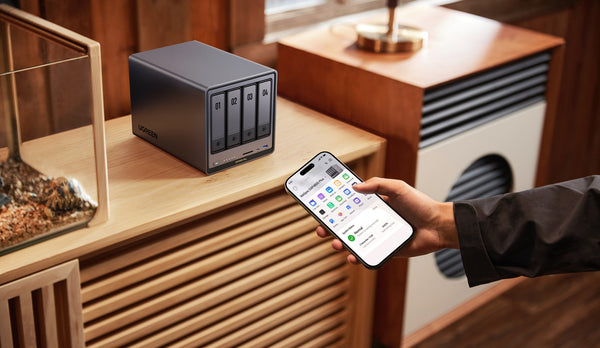
By leveraging intuitive desktop and mobile apps connected to private cloud storage appliances, users enjoy easy self-administration from anywhere without reliance on any external public cloud provider. Your data stays within your own secured infrastructure for total control.
There are several core traits that define and distinguish personal private cloud solutions:
Provides abundant network-attached storage capacity allocated specifically for your home or small office rather than being shared with other organizations.
The physical storage hardware is hosted on-site within your home, office closet or data room, rather than residing off-site in a multi-tenant data center.
You completely own the private cloud device and data. You manage all software settings and functionality rather than relying on restrictive policies of a public cloud provider.
Data access is restricted to the local home or office network, allowing only authorized on-premises devices rather than access over the open internet. This allows customizable governance.
Personal private cloud appliances are designed for easy self-maintained operation with intuitive management apps rather than requiring dedicated IT oversight.

While personal private cloud mimics the convenience of public cloud services, there are some key differences:
Private cloud consists of appliances physically located on-site rather than servers hosted remotely in a third-party public multi-tenant data center.
Your data stays within your own private infrastructure rather than transmitting across the public internet to a cloud provider. This minimizes privacy risks.
You manage the entire device, software, security policies, bandwidth allocation and governance rather than the public cloud provider restricting privileges and access.
Private cloud devices are only directly accessible on the local home or office network by authorized users and devices. Public cloud allows external access.
Once purchased, private cloud appliances have no recurring subscription fees like public cloud services charge for capacity used. Ongoing costs are generally just electricity.
Read More: Private Cloud vs Public Cloud: Which Should You Choose?

Personal private cloud solutions offer a number of compelling benefits compared to consumer public cloud:
Keeping data on local private infrastructure minimizes risks of data breaches inherent with public internet transmission and storage. No unauthorized external party has access.

You retain full control over your data and infrastructure. Public cloud providers assert certain data rights and access in their agreements.
Local high-speed network connectivity enables consistent high performance and reliable data streaming and transfers. Public cloud can vary depending on internet conditions.

Devices on the home or office network can directly and quickly access the private cloud 24/7. Public cloud downtime leaves you unable to access data.
Consolidates all primary and backup storage in one place for unified access, synchronization and management. Eliminates siloed external drives.
You define and configure every aspect like shares, automated backups, redundancy levels and access controls rather than adhere to rigid vendor-defined policies.
Expand storage capacity as needed by incrementally adding internal drives or enclosures. Public cloud can have high egress fees for retrieving large data sets.

Personal and small business use cases enabled by private cloud include:
Provides abundant high-speed secure storage for photos, videos, music, and personal documents. Centralizes scattered media.
Enables easy set-and-forget backup of irreplaceable photos, video memories, documents, and configs with custom retention policies.
Privately access your files from any internet-connected device without reliance on public cloud services. VPN support provides secure remote access.

Selectively share files and folders with family, friends and colleagues without exposing data to public cloud services.
Locally stream videos, music, photos to devices around your home or office over wired and wireless connections.

Enables multiple authorized users to collaborate on projects with version histories, centralized storage, synchronization and sharing.
Store personal data and work documents with privacy concerns securely on your controlled private infrastructure rather than with a public provider.
Securely access office collaboration tools and files for remote work as if locally connected to the office network.
There are several options to implement private cloud for personal and SOHO use:
Pre-configured NAS appliances with integrated storage, backup, sharing and self-service management features. Optimized simplicity for home use.
Add network sharing functionality to external USB hard drives by connecting through routers or NAS operating systems.
Powerful SMB and enterprise-class NAS devices offer advanced capabilities like VM hosting and Docker containers.
Combine a core on-premises NAS system with some cloud backup for cost-effective offsite redundancy.

Key steps for successfully deploying a personal or small business private cloud include:
Account for current storage needs plus projected future growth when selecting private cloud storage capacity.
Wired Ethernet provides most reliable performance. But wireless NAS works well if access points located nearby.
Set up remote connectivity through VPN or cloud gateway if remote file access needed.
Schedule automated backups to both local external drives and cloud if permissible for optimal redundancy.
Choose proper RAID configuration to balance performance vs. storage capacity vs. fault tolerance based on specific needs.
Encrypt personal or sensitive data for protection against physical theft of drives.
Place NAS appliance in physical environment like interior room or closet that deters theft and exposure to elements.

Leading personal and small business private cloud NAS solutions commonly offer:
Create network shares for different purposes like media, documents, backups. Set user access permissions for each.
Smoothly stream videos, photos, music libraries to devices throughout the home or office. Transcodes formats as needed.
Enable managing the NAS, uploads/downloads, multi-user collaboration and more all from iOS and Android mobile apps.
Combine multiple Ethernet ports on the NAS to multiply theoretical transfer speeds. Useful for high speed 10GbE connectivity.
Optionally add solid state drives (SSDs) to NAS for radically faster access performance compared to HDDs alone.
Easily expand storage capacity on demand by incrementally adding more drives or entire enclosures.
Backup NAS locally and to cloud on set schedules. Restore previous versions or deleted files. Protects against data loss.
Securely access and manage NAS from anywhere over the internet through VPN or cloud gateway integration.
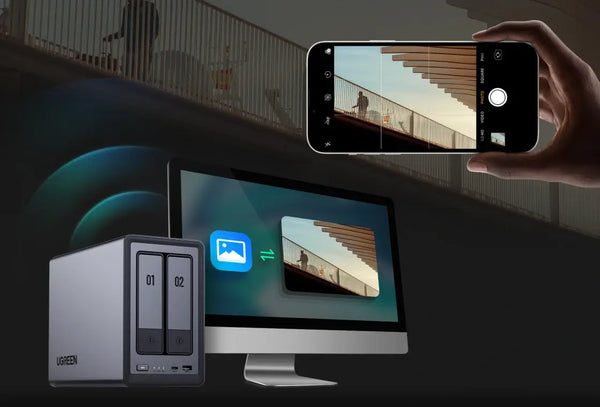
Essential steps to physically protecting personal private cloud appliances include:
Use high security locks to securely fasten NAS devices, racks and enclosures to deter theft. Restrict physical access.
Place NAS hardware in restricted access rooms, closets or locked cabinets away from public accessibility. Deter tampering.
Use asset/inventory tracking tags on NAS devices for recovery in case of burglary.
Use uninterruptable power supply (UPS) devices to protect against power surges that can corrupt data.
Ensure NAS operates in a temperature controlled, dry environment to prevent overheating and moisture damage.
Have secondary internet provider or 4G/5G connection as redundancy if primary ISP faces an outage.

Well-designed personal private cloud NAS offerings incorporate multiple layers of data protection:
Encrypt data both at rest on the drives and in transit over connections using AES-256 or similar strong encryption.
Backup destination volumes optionally support only appending data to prevent corruption or deletion.
Restore previous versions of files or folders to undo unintended changes or recover lost data.
Advanced threat detection technology recognizes unusual read/write patterns indicative of ransomware attacks to prevent data loss.
Receive notifications of unusual events like failed login attempts or spikes in data egress that could signal a cyberattack.
Asynchronously mirror backups or entire datasets to another NAS system for redundancy against local failures and disaster recovery.

In addition to the enhanced security, privacy and control, personal private cloud offers other advantages:
NAS operating systems allow migrating data between different provider's devices. Public cloud makes data extraction difficult and expensive.
Avoid ongoing public cloud monthly subscription costs that compound over years. Expand NAS storage incrementally as needed.
Most personal NAS devices just have upfront hardware cost and minimal ongoing electricity expense and maintenance.
NAS integrates with your home or office network and internet connection you already pay for rather than needing dedicated cloud infrastructure.
Unaffected by internet outages. Private cloud remains continuously accessible to local devices during broadband disruptions.
Small, efficient NAS devices consume minimal power. Much lower carbon footprint than massive hyperscale data centers needed for public cloud.
To summarize key best practices:

UGREEN offers a range of user-friendly, high-performance private cloud NAS products designed specifically for home users and small offices.
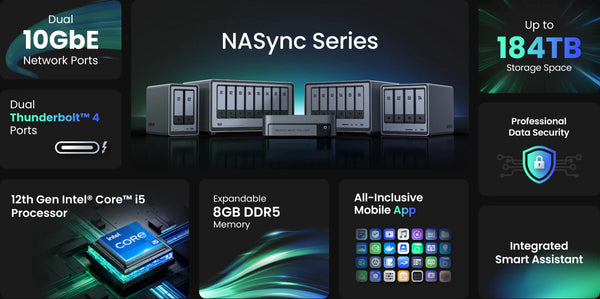
Key features of UGREEN's personal NAS appliances include:
Provides smooth 4K transcoding and supports virtualization needs.
Scale on demand from 4 bays up to 23 bays for massive capacity.
Achieve faster wired throughput speeds to avoid bottlenecks.
Enables direct-attached peripherals for extremely high transfer rates.
Leverage multiple RAID types, offline backups, cloud backups and encryption.
Create shares, schedule backups, access remotely easily through desktop and mobile apps.
With innovative NAS hardware and software solutions tailored for personal media management and storage, UGREEN empowers home users to consolidate and protect their digital assets privately on-site with full control.
Verder lezen...
Private cloud solutions offer the flexibility to store, backup, share, and access your files from anywhere, with the security, privacy and governance of keeping everything within your own infrastructure. Compared to public cloud services, private cloud ensures enhanced security, performance, control and customization for personal and small business use cases.
Defining Personal Private Cloud Solutions
In a personal context, private cloud refers to specialized on-premises network-attached storage (NAS) devices and software that provide the flexibility and self-service capabilities of public cloud services, but with the benefits of being entirely hosted on-site.
Personal private cloud appliances offer robust capacity for media storage, automated multi-destination backups, remote file access, centralized file sharing and synchronization, self-service management, and abundant features tailored specifically for home users and small offices.
By leveraging intuitive desktop and mobile apps connected to private cloud storage appliances, users enjoy easy self-administration from anywhere without reliance on any external public cloud provider. Your data stays within your own secured infrastructure for total control.
Key Traits and Attributes of Personal Private Cloud
There are several core traits that define and distinguish personal private cloud solutions:
Dedicated On-Premises Storage
Provides abundant network-attached storage capacity allocated specifically for your home or small office rather than being shared with other organizations.
Hosted in Your Space
The physical storage hardware is hosted on-site within your home, office closet or data room, rather than residing off-site in a multi-tenant data center.
Full Data Ownership
You completely own the private cloud device and data. You manage all software settings and functionality rather than relying on restrictive policies of a public cloud provider.
Localized Access and Control
Data access is restricted to the local home or office network, allowing only authorized on-premises devices rather than access over the open internet. This allows customizable governance.
Turnkey Operation
Personal private cloud appliances are designed for easy self-maintained operation with intuitive management apps rather than requiring dedicated IT oversight.
Key Differences from Traditional Public Cloud
While personal private cloud mimics the convenience of public cloud services, there are some key differences:
No Remote Hosting
Private cloud consists of appliances physically located on-site rather than servers hosted remotely in a third-party public multi-tenant data center.
Data Stays Local
Your data stays within your own private infrastructure rather than transmitting across the public internet to a cloud provider. This minimizes privacy risks.
Total User Control
You manage the entire device, software, security policies, bandwidth allocation and governance rather than the public cloud provider restricting privileges and access.
Local-Only Accessibility
Private cloud devices are only directly accessible on the local home or office network by authorized users and devices. Public cloud allows external access.
No Recurring Fees
Once purchased, private cloud appliances have no recurring subscription fees like public cloud services charge for capacity used. Ongoing costs are generally just electricity.
Read More: Private Cloud vs Public Cloud: Which Should You Choose?
Compelling Benefits of Personal Private Cloud
Personal private cloud solutions offer a number of compelling benefits compared to consumer public cloud:
Enhanced Security
Keeping data on local private infrastructure minimizes risks of data breaches inherent with public internet transmission and storage. No unauthorized external party has access.
Maintain Complete Data Ownership
You retain full control over your data and infrastructure. Public cloud providers assert certain data rights and access in their agreements.
Improved Reliability
Local high-speed network connectivity enables consistent high performance and reliable data streaming and transfers. Public cloud can vary depending on internet conditions.
Always Accessible
Devices on the home or office network can directly and quickly access the private cloud 24/7. Public cloud downtime leaves you unable to access data.
Centralized Storage Hub
Consolidates all primary and backup storage in one place for unified access, synchronization and management. Eliminates siloed external drives.
Highly Customizable
You define and configure every aspect like shares, automated backups, redundancy levels and access controls rather than adhere to rigid vendor-defined policies.
Cost Effective Scalability
Expand storage capacity as needed by incrementally adding internal drives or enclosures. Public cloud can have high egress fees for retrieving large data sets.
Diverse Personal Private Cloud Use Cases
Personal and small business use cases enabled by private cloud include:
Media Libraries
Provides abundant high-speed secure storage for photos, videos, music, and personal documents. Centralizes scattered media.
Automated Backups
Enables easy set-and-forget backup of irreplaceable photos, video memories, documents, and configs with custom retention policies.
Access Anywhere
Privately access your files from any internet-connected device without reliance on public cloud services. VPN support provides secure remote access.
Secure File Sharing
Selectively share files and folders with family, friends and colleagues without exposing data to public cloud services.
Stream Media
Locally stream videos, music, photos to devices around your home or office over wired and wireless connections.
Collaborate on Projects
Enables multiple authorized users to collaborate on projects with version histories, centralized storage, synchronization and sharing.
Protect Sensitive Data
Store personal data and work documents with privacy concerns securely on your controlled private infrastructure rather than with a public provider.
Remote Work Enabler
Securely access office collaboration tools and files for remote work as if locally connected to the office network.
Private Cloud Options Suitable for Home Use
There are several options to implement private cloud for personal and SOHO use:
All-In-One NAS Appliances
Pre-configured NAS appliances with integrated storage, backup, sharing and self-service management features. Optimized simplicity for home use.
Repurpose Existing Drives
Add network sharing functionality to external USB hard drives by connecting through routers or NAS operating systems.
Small Business-Class Models
Powerful SMB and enterprise-class NAS devices offer advanced capabilities like VM hosting and Docker containers.
Hybrid Backup
Combine a core on-premises NAS system with some cloud backup for cost-effective offsite redundancy.
Steps to Get Started with Personal Private Cloud
Key steps for successfully deploying a personal or small business private cloud include:
Determine Needed Storage Capacity
Account for current storage needs plus projected future growth when selecting private cloud storage capacity.
Choose Wired or Wireless Connectivity
Wired Ethernet provides most reliable performance. But wireless NAS works well if access points located nearby.
Configure Remote Access (Optional)
Set up remote connectivity through VPN or cloud gateway if remote file access needed.
Schedule Multi-Destination Backups
Schedule automated backups to both local external drives and cloud if permissible for optimal redundancy.
Select Appropriate RAID Level
Choose proper RAID configuration to balance performance vs. storage capacity vs. fault tolerance based on specific needs.
Enable Drive Encryption
Encrypt personal or sensitive data for protection against physical theft of drives.
Install in Secure Location
Place NAS appliance in physical environment like interior room or closet that deters theft and exposure to elements.
Key NAS Software Features and Capabilities
Leading personal and small business private cloud NAS solutions commonly offer:
Intuitive File Shares
Create network shares for different purposes like media, documents, backups. Set user access permissions for each.
Robust Media Streaming
Smoothly stream videos, photos, music libraries to devices throughout the home or office. Transcodes formats as needed.
Easy Mobile Apps
Enable managing the NAS, uploads/downloads, multi-user collaboration and more all from iOS and Android mobile apps.
Link Aggregation
Combine multiple Ethernet ports on the NAS to multiply theoretical transfer speeds. Useful for high speed 10GbE connectivity.
SSD Caching
Optionally add solid state drives (SSDs) to NAS for radically faster access performance compared to HDDs alone.
Scalable Storage
Easily expand storage capacity on demand by incrementally adding more drives or entire enclosures.
Comprehensive Backups
Backup NAS locally and to cloud on set schedules. Restore previous versions or deleted files. Protects against data loss.
Remote Accessibility
Securely access and manage NAS from anywhere over the internet through VPN or cloud gateway integration.
Physical Security and Environmental Protections
Essential steps to physically protecting personal private cloud appliances include:
Lock Down Devices
Use high security locks to securely fasten NAS devices, racks and enclosures to deter theft. Restrict physical access.
Deploy in Secure Area
Place NAS hardware in restricted access rooms, closets or locked cabinets away from public accessibility. Deter tampering.
Theft Recovery Tracking
Use asset/inventory tracking tags on NAS devices for recovery in case of burglary.
Surge Protection
Use uninterruptable power supply (UPS) devices to protect against power surges that can corrupt data.
Cool Dry Location
Ensure NAS operates in a temperature controlled, dry environment to prevent overheating and moisture damage.
Backup Internet Connection
Have secondary internet provider or 4G/5G connection as redundancy if primary ISP faces an outage.
Core Data Protection Software Features
Well-designed personal private cloud NAS offerings incorporate multiple layers of data protection:
Native Encryption
Encrypt data both at rest on the drives and in transit over connections using AES-256 or similar strong encryption.
Immutable Backups
Backup destination volumes optionally support only appending data to prevent corruption or deletion.
Multi-Version Histories
Restore previous versions of files or folders to undo unintended changes or recover lost data.
Anti-Ransomware
Advanced threat detection technology recognizes unusual read/write patterns indicative of ransomware attacks to prevent data loss.
Anomaly Alerts
Receive notifications of unusual events like failed login attempts or spikes in data egress that could signal a cyberattack.
Remote Replication
Asynchronously mirror backups or entire datasets to another NAS system for redundancy against local failures and disaster recovery.
Cost Savings and Other Private Cloud Benefits
In addition to the enhanced security, privacy and control, personal private cloud offers other advantages:
No Vendor Lock-in
NAS operating systems allow migrating data between different provider's devices. Public cloud makes data extraction difficult and expensive.
Cost Savings Over Time
Avoid ongoing public cloud monthly subscription costs that compound over years. Expand NAS storage incrementally as needed.
No Recurring Fees
Most personal NAS devices just have upfront hardware cost and minimal ongoing electricity expense and maintenance.
Leverage Existing Network
NAS integrates with your home or office network and internet connection you already pay for rather than needing dedicated cloud infrastructure.
Resilient Local Access
Unaffected by internet outages. Private cloud remains continuously accessible to local devices during broadband disruptions.
Environmentally Friendly
Small, efficient NAS devices consume minimal power. Much lower carbon footprint than massive hyperscale data centers needed for public cloud.
Private Cloud Deployment Tips
To summarize key best practices:
- Seek user-friendly NAS devices - Many NAS operating systems are designed for easy self-maintained home use rather than requiring IT skills.
- Wired connectivity preferred - Wired Ethernet delivers vastly faster and smoother streaming and backups than WiFi.
- Enable remote access (if needed) - If remote access is a requirement, configure VPN or cloud gateway connectivity.
- Use RAID wisely - Leverage RAID for the right balance of capacity, performance and redundancy.
- Encrypt personal data - Encrypt irreplaceable personal data and sensitive documents as a precaution.
- Multi-destination backup - Backup NAS locally and to cloud for optimal redundancy against failure scenarios.
- Carefully plan capacity - Consider long term storage needs when selecting NAS capacity, allowing room to grow.
UGREEN's Specialized NAS Appliances for Personal Private Cloud
UGREEN offers a range of user-friendly, high-performance private cloud NAS products designed specifically for home users and small offices.
Key features of UGREEN's personal NAS appliances include:
Modern Multi-core CPUs
Provides smooth 4K transcoding and supports virtualization needs.
Up to 184 TB storage
Scale on demand from 4 bays up to 23 bays for massive capacity.
2.5GbE/10GbE Networking
Achieve faster wired throughput speeds to avoid bottlenecks.
Thunderbolt 3 Connectivity
Enables direct-attached peripherals for extremely high transfer rates.
Advanced Data Protection
Leverage multiple RAID types, offline backups, cloud backups and encryption.
Intuitive Apps and Interface
Create shares, schedule backups, access remotely easily through desktop and mobile apps.
With innovative NAS hardware and software solutions tailored for personal media management and storage, UGREEN empowers home users to consolidate and protect their digital assets privately on-site with full control.
Verder lezen...